
AI videos editor lets agencies deliver multiple video concepts much faster by automating editing, generating drafts, and streamlining creative workflows. With an AI videos editor, you can pitch several polished concepts to clients in just days instead of weeks.
These tools use machine learning to cut, arrange, and even script footage based on your brief, turning raw material into ready-to-share content at record speed. Agencies rely on AI videos editors to handle repetitive tasks and focus their team’s energy on creativity and strategy.
If your agency needs to impress clients and win more business, adopting AI videos editors is now essential. Here’s how you can use them to scale your video production, deliver more concepts, and maintain quality without burning out your team.
Understanding AI Video Editors: What Agencies Need to Know
An AI videos editor is software powered by machine learning and generative algorithms that automates or accelerates video creation. Unlike classic tools requiring manual editing, AI video editors, video generators, and video creators use prompts, templates, or reference material to produce branded video content at scale. For agencies, this means faster delivery of drafts, instant adaptation to multiple formats (9:16, 1:1, 16:9), and the ability to ideate without production constraints.
How Generative AI Transforms Video Production
Generative AI streamlines workflows by automating repetitive editing steps, generating unique visuals, and suggesting creative variations. Agencies can create storyboards, shot lists, and even full video drafts within hours. AI video editor platforms also enable rapid iteration—two or more concept versions per day are typical—so teams spend less time on manual tasks and more on strategy. Scalability and flexibility make these tools essential for agencies managing multiple clients or campaigns simultaneously.
Transitioning from understanding the technology, let’s look at how these benefits translate directly into agency productivity.
Core Benefits of AI Video Editors for Agencies
AI video editors fundamentally reshape agency workflow, enabling teams to deliver more creative concepts faster and at scale. By automating repetitive processes and providing instant access to diverse visual assets, agencies can efficiently serve multiple clients and projects simultaneously.
Impact on Agency Productivity
- Accelerated Concept Development: Generate multiple video concepts in hours, not days. AI videos creator tools allow rapid ideation and iteration, reducing time-to-first-draft by up to 70%.
- Scalability for Multiple Clients: Seamlessly manage dozens of client requests and pitches without increasing headcount. AI-powered workflows handle parallel projects with minimal manual intervention.
- Flexible Creative Revisions: Instantly implement creative feedback. Revise scenes, styles, or scripts with a few clicks—no need to reshoot or re-edit from scratch.
- Cost-Effective Production: Eliminate expenses for on-location shoots, equipment rentals, and large crews. AI video editor solutions typically reduce production costs by 40–60% compared to traditional methods.
- Multi-Format Delivery: Export high-res stills and videos in any aspect ratio (9:16, 1:1, 16:9) directly from the platform, streamlining content adaptation for different channels.
- White-Label and IP Control: Provide clients with fully branded deliverables and full commercial rights, supporting agency growth and client retention.
Now that we’ve covered the core benefits, let’s compare leading tools and what to look for when choosing an ai video editor for your agency.
Top AI Video Editors and Generators for Agencies: A Business-Focused Comparison
Agencies require AI video tools with robust collaboration, commercial usage, and white-label video production features. Key differentiators include multi-user management, support for custom branding, export in multiple aspect ratios, and clear commercial rights transfer. Efficient workflow integration and flexible revision management are crucial for scaling client delivery.
Key Features to Consider
- White-label support: Ability to deliver videos without platform branding.
- Team collaboration: Multi-user roles, shared projects, and approval workflows.
- Commercial rights: Clear content licensing and rights transfer post-payment.
- Format versatility: Export options for 1:1, 16:9, 9:16, and high-res stills.
- Revision management: Built-in rounds of feedback and change tracking.
| Tool | Strengths & Business Use Cases | Pricing (USD/mo) | White-Label & Rights |
|---|---|---|---|
| Runway | Advanced AI video editing, fast concept generation, API | From $15 | Commercial license, no native white-label |
| Synthesia | Text-to-video, avatar creation, multiple languages | From $30 | Commercial rights, limited branding |
| Pictory | Script-to-video, bulk video creation for socials | From $23 | White-label on Pro, commercial use |
| Colossyan | AI presenters, collaboration tools, live editing | From $28 | White-label, clear commercial rights |
| InVideo AI | Multi-format exports, brand kit, team features | From $25 | White-label on Business, full rights |
Choose an ai video editor based on your agency’s workflow complexity, branding needs, and client volume. Prioritize white-label video production if you resell services. For higher-end deliverables, focus on tools with API access and advanced revision controls.
With the right tool selected, it’s time to integrate AI video editors into your agency’s daily processes.
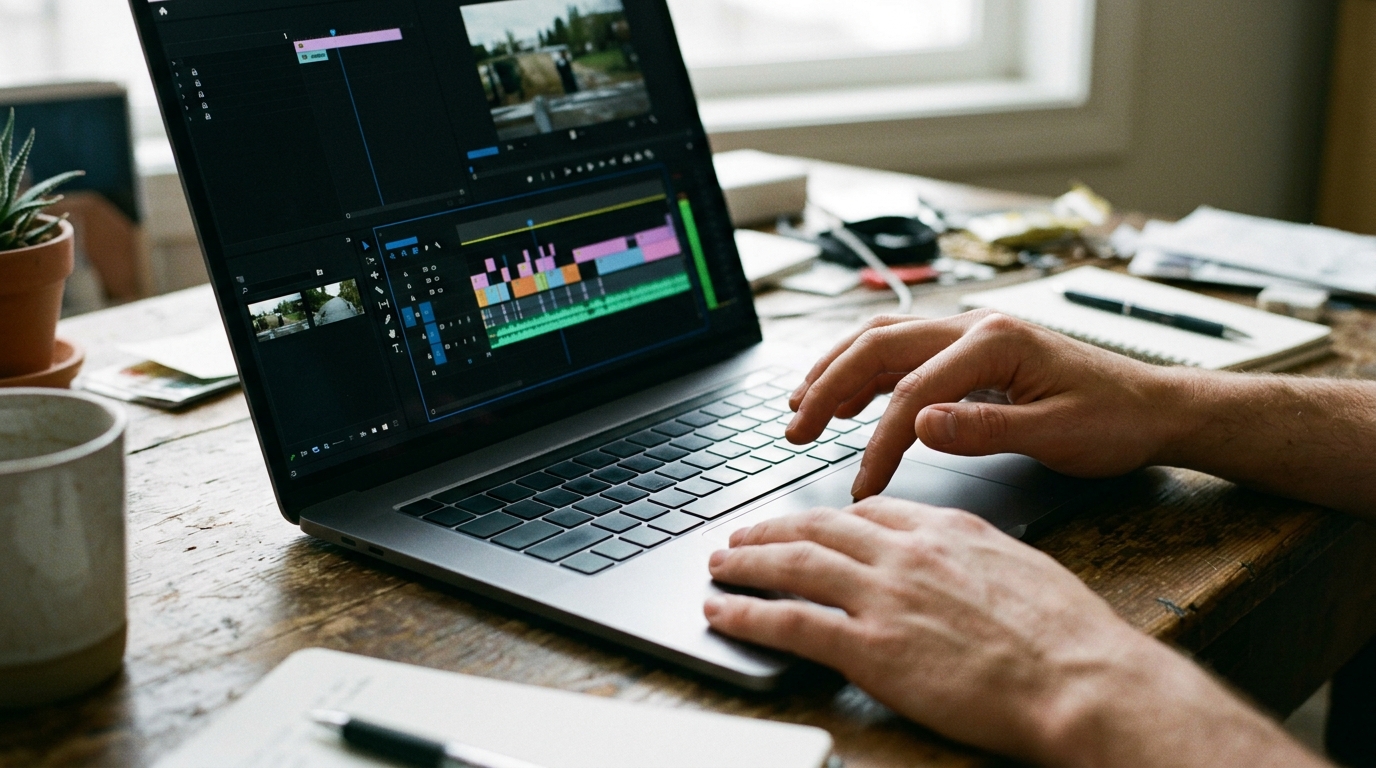
Integrating AI Video Editors Into Your Agency Workflow: Step-by-Step Checklist
- Assess Workflow and Content Needs
Map your current agency workflow, inventory bottlenecks, and list key deliverables (video formats, high-res stills, revision rounds). Identify which stages—storyboarding, generation, post-production—benefit most from automation.
- Select the Right AI Video Editor
Audit candidate tools for commercial use, multi-format export, white-label support, and collaborative features. Run test projects and verify outputs align with your creative and quality standards.
- Onboarding and Team Training
Centralize onboarding: assign tool champions, create quick-reference guides, and schedule hands-on workshops. Ensure teams can efficiently prompt, direct, and iterate with the ai video editor. Integrate version control for collaborative editing.
- Establish Quality Control & Revision Process
Define review checkpoints; automate first-draft QA with built-in analytics where available. Standardize two revision rounds per project, using shared feedback platforms to keep iterations on track and transparent.
- Manage Client Expectations and Feedback
Present AI-enabled capabilities clearly to clients, emphasizing speed, flexible visual options, and format variety. Set clear boundaries for revision rounds and turnaround times. Capture and codify client feedback post-delivery to refine future workflows.
Once your workflow is set, the next step is preparing briefs and scripts that maximize the effectiveness of AI video generation.
Preparing Effective Briefs and Scripts for AI Video Generation
AI video creators perform best with structured, unambiguous input. Your brief should specify the campaign objective, target audience, key messages, visual style, mandatory brand assets, and output formats (for example, 9:16 for social, 16:9 for YouTube). Attach a detailed storyboard with frame-by-frame descriptions, reference visuals, and call out any critical product or branding moments. Clearly outline required deliverables and revision rounds.
For scripts, use direct, concise language. Avoid idioms and ambiguous phrasing—AI video makers interpret literal instructions. Note voiceover tone, on-screen text, and scene transitions. Provide timecodes or estimated durations per section for precise pacing.
Sample AI Video Brief
Project: Spring Campaign for “UrbanActive” Sneakers Objective: Launch video to boost online pre-orders Target: Gen Z, US market Storyboard:
- Scene 1: Dawn in Paris (virtual set), model lacing sneakers
- Scene 2: Product close-up, animated specs overlay
- Scene 3: Dynamic city run, CGI transitions, upbeat music
Script Excerpt: “Narrator (bright, youthful): ‘Start your day with UrbanActive. Style meets innovation—wherever you go.’” Formats: 9:16, 1:1, 16:9; high-res stills Brand Guidelines: Color palette, logo usage, hashtag Revisions: 2 rounds included
With effective briefs in place, maintaining quality and compliance becomes the next focus.
Ensuring Quality and Compliance: Reviewing AI-Generated Video Content
Best Practices for Video Review
Effective quality control begins with a structured review and revision process. Define clear checkpoints: initial draft, internal team review, client review, and final approval. Use high-res stills extracted from the AI videos editor to validate key visuals—this accelerates sign-off and avoids full renders at every stage. Ensure brand alignment by referencing provided assets, color palettes, and tone guides in every revision round. Track feedback using collaborative tools that log comments, timestamps, and change history for each version. For commercial projects, maintain a checklist covering compliance, copyright, and format requirements. This systematic approach keeps every deliverable on-brand, consistent, and ready for multi-format distribution.
As you ensure quality, don’t overlook the legal aspects of using AI video editors in agency work.

Legal Essentials: Rights, NDA, and White-Label Considerations for Agencies
Agencies must secure explicit commercial rights for all AI-generated video and photo assets to avoid downstream ownership disputes. Ensure contracts detail copyright status and outline client transfer of rights upon payment. For white-label video production, draft agreements specifying that the agency’s brand is protected and clients are prohibited from contacting your vendors directly. NDAs are critical—define the scope, duration, and handling of confidential client materials, especially if scripts, concepts, or assets are shared with AI platforms.
Checklist: Legal Questions for AI Video Projects
- Specify who owns final content and all underlying assets.
- Include clauses transferring commercial rights to clients after payment.
- Require NDAs for all parties with access to sensitive client data.
- Define white-label terms: branding, vendor anonymity, client protection.
- Clarify liability for copyright, data breaches, or third-party claims.
- State permitted uses of AI tools and data retention policies.
- List jurisdictions and dispute resolution mechanisms in contracts.
To see these strategies in action, let’s look at a real agency case.
Real Agency Success Stories: Winning Pitches and Scaling Production with AI Video Editors
Case Study: 3 Concepts in 48 Hours
Animagine Solutions faced a global brand pitch with a hard 48-hour deadline and demand for three distinct video concepts. Using an AI video editor, the team delivered polished storyboards, full-motion video drafts, and high-res stills for all concepts within the timeframe. No traditional shoots, location scouting, or casting—just rapid generative production and agile human direction. The agency’s workflow leveraged automated editing, instant style variations, and built-in format exports (16:9, 9:16, 1:1). Result: the client shortlisted Animagine’s concepts, citing creative range and speed as key differentiators. For ongoing white-label partnerships, agencies report up to 60% reduction in turnaround time and 30–50% budget savings, especially on multi-client projects.
Часті запитання
What are the main advantages of using an AI video editor for agencies?
The main advantages of using an AI video editor for agencies include faster turnaround times, the ability to generate multiple video concepts quickly, and cost savings on production. Agencies also benefit from scalability, flexible revisions, and multi-format exports, making it easier to serve diverse client needs efficiently.
How do agencies ensure brand consistency when using AI video editors?
Agencies ensure brand consistency with AI video editors by using custom branding features, such as uploading brand assets, setting color palettes, and defining templates. Many AI editors offer brand kits and white-label options, ensuring all generated videos align with specific client guidelines and visual identity.
What training do agency teams need to effectively use AI video editors?
Agency teams need basic training on prompt writing, tool navigation, and workflow integration to use AI video editors effectively. Hands-on workshops, quick-reference guides, and assigning tool champions within the team help streamline onboarding and ensure everyone can leverage AI features for efficient video creation.
Are there any limitations to using AI video editors for complex projects?
Yes, AI video editors may have limitations with highly customized or intricate video projects requiring advanced animation, nuanced storytelling, or unique visual effects. In such cases, a hybrid approach—combining AI-generated drafts with manual editing—can help agencies achieve the desired creative outcome. Детальніше про це — у матеріалі ai video maker.
How can agencies manage client feedback efficiently when using AI video editors?
Agencies can manage client feedback efficiently by establishing clear revision rounds, using collaborative feedback platforms, and leveraging built-in change tracking features in AI video editors. This approach streamlines communication, keeps iterations organized, and ensures client input is incorporated promptly into video drafts.
Головне за хвилину
- Streamline concept delivery: Use AI video editors to generate multiple branded concepts and revisions in hours, not days, enabling rapid response to client requests.
- Scale without extra staff: Automate repetitive editing and multi-format exports to manage more projects and clients simultaneously, increasing agency capacity.
- Prioritize business-ready features: Choose tools with white-label support, clear commercial rights, and strong team collaboration to deliver fully branded, client-ready assets.
- Integrate for efficiency: Standardize onboarding, training, and revision workflows to maximize productivity and maintain creative quality.
By leveraging AI-powered video editors, your agency can deliver more concepts, faster—without sacrificing quality or control. Ready to boost your creative output and client satisfaction? Start a project and see the difference AI can make.
More from the blog

Advertising photography in 2026: How AI changes campaign visuals
AI is revolutionizing advertising photography in 2026, making visuals more creative and affordable. Discover the latest trends and innovations!
AI video editor vs traditional editing: Which saves more?
AI video editors versus traditional editing: which is more cost-effective? Explore how AI tools can streamline your video production process.
Make AI videos: 5 Proven Workflows for Agencies & Creators
Discover five proven workflows to make AI videos efficiently. Perfect for agencies and creators aiming for top-quality results with less hassle.